Learning Portfolio Menu
Module Three Overview
Lessons Learned in Module Three
Module Three introduced working with databases and MySQL, a language used to manipulate information in a database. In this module, we used a database created through HostGator's PHPMyAdmin to practice creating, editing, ordering, and manipulating data created in a custom database. This lesson also related to the previous module two assignments in PHP, as PHPMyAdmin is a tool written in PHP that handles the administration of MySQL in order to work with these databases.
This module used tutorials from Bucky's MySQL and PHP 101 to gain a familiarity with manipulating the information stored in a database. W3Schools also provided lessons and a quiz about MySQL, introducing topics such as syntax, select, distinct, where, order by, insert into, and more advanced features like functions. Bucky's MySQL Tutorials were the most useful tool for me, as downloading a dataset and manipulating it alongside the videos was an excellent demonstration of the features and commands included with MySQL. I will explore the importance of this assignment in the learning artifact section below.
Learning Artifact
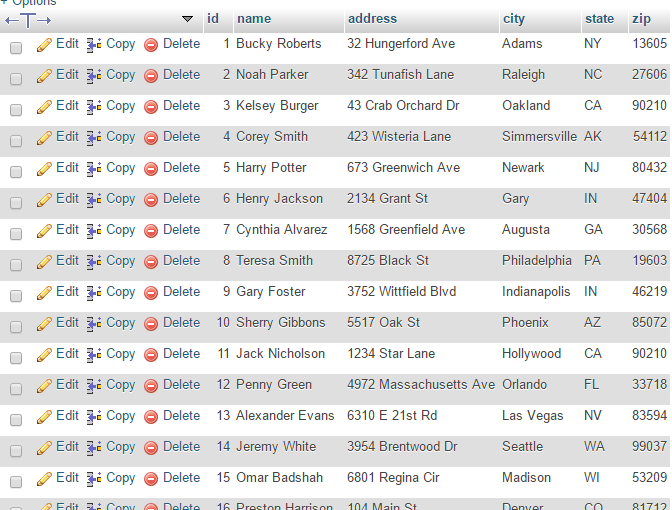
Bucky's MySQL tutorials gave an enormous amount of useful information and demonstration about how to work with information in a database using MySQL. I downloaded the information he supplied and imported it into a new database in my HostGator account, and worked alongside the videos to practice different MySQL commands. It was much easier to have such a hands-on way of working with a database instead of just simply reading about it. While a full demonstration of the commands learned can be found on the module three tutorial page, a few of the commands I worked with were using the SELECT statement:
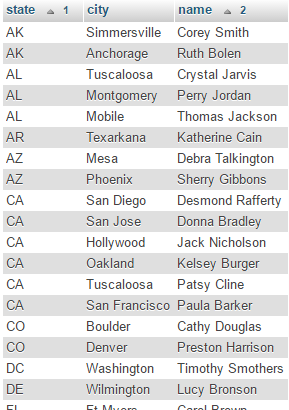
Using ORDER BY to arrange customers by state:
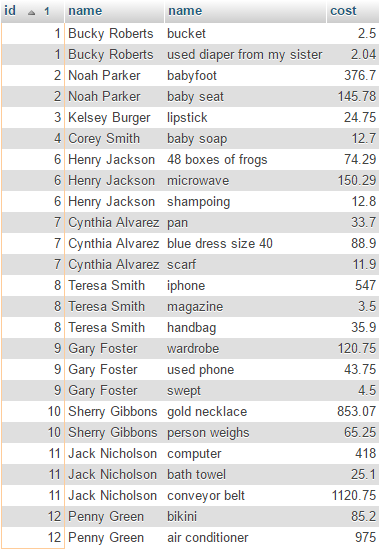
And using join tables to match customers' names next to the ID number they match to: